Green Light
Compliance-First Cannabis Marketplace
01
The Problem
A founder came to me with a pitch: "DoorDash for weed." The vision was a cannabis delivery marketplace positioned for eventual federal legalization.
An idea and funding.
Any understanding of why this was a fundamentally different problem than food delivery.
Cannabis isn't like ordering tacos. Every transaction is a compliance event. Age verification, identity binding, state-boundary enforcement, chain of custody, handoff confirmation, audit logging — get any of it wrong and you don't just lose customers, you lose your license. Or worse.
The founder didn't know what he didn't know. My job wasn't just to design an app — it was to figure out what this product actually needed to be before designing anything.
Cannabis isn't like ordering tacos.
Every transaction is a compliance event.
Get any of it wrong → lose your license. Or worse.
02
Discovery & Research
I spent the first two weeks doing something the client didn't ask for: understanding the regulatory landscape.
State-by-state fragmentation
There's no federal framework. Each state has different rules for licensing, delivery, possession limits, and verification requirements. The product couldn't assume a single compliance model.
Identity is everything
Unlike alcohol (where you flash an ID at purchase), cannabis requires identity binding — the person who orders must be the person who receives, verified at both ends of the transaction.
Chain of custody matters
From the moment product leaves the dispensary to handoff, there must be an auditable record. No proxy pickups. No "leave at door." Every transfer logged.
Existing apps cut corners
Competitive analysis revealed that most cannabis delivery apps treat compliance as an afterthought — a checkbox screen during onboarding and nothing else. That's a liability waiting to happen.
This wasn't a delivery app with compliance bolted on. It had to be a compliance system with a delivery experience layered on top.
That reframe changed everything about how I approached the architecture and design.
Explicit, enumerable states → No ambiguity, full auditability
03
Design Principles
Based on the research, I established four principles to guide every design decision:
Compliance is invisible
Users shouldn't feel like they're navigating a legal gauntlet. Verification flows should feel like onboarding, not interrogation.
Friction kills conversion. Compliance that feels hostile will tank adoption.
Trust through transparency
Show users where their order is, who's handling it, and what happens next. No black boxes.
Cannabis buyers are already navigating stigma. Uncertainty makes it worse.
Premium positioning
The visual language should feel elevated — not the sketchy dispensary aesthetic that dominates the space.
The target market is mainstream consumers post-legalization, not current cannabis culture.
System-first design
Every screen maps to a defined system state. No orphan UI.
If it's not in the state machine, it doesn't exist. This prevents edge case chaos later.
| Principle | What It Means | Why It Matters |
|---|---|---|
| Compliance is invisible | Users shouldn't feel like they're navigating a legal gauntlet. Verification flows should feel like onboarding, not interrogation. | Friction kills conversion. Compliance that feels hostile will tank adoption. |
| Trust through transparency | Show users where their order is, who's handling it, and what happens next. No black boxes. | Cannabis buyers are already navigating stigma. Uncertainty makes it worse. |
| Premium positioning | The visual language should feel elevated — not the sketchy dispensary aesthetic that dominates the space. | The target market is mainstream consumers post-legalization, not current cannabis culture. |
| System-first design | Every screen maps to a defined system state. No orphan UI. | If it's not in the state machine, it doesn't exist. This prevents edge case chaos later. |
04
The Solution
I designed a complete ecosystem: consumer app, dispensary portal, and courier experience — all sharing a unified design system and all mapping to the same compliance architecture.
4.1 Consumer App
Onboarding & Verification
The first challenge: how do you collect ID verification, age confirmation, payment binding, and location permissions without making users feel like they're applying for a mortgage?
The approach: Progressive disclosure with clear value exchange. Each step explains why before asking what. Users aren't just filling forms — they're unlocking access.

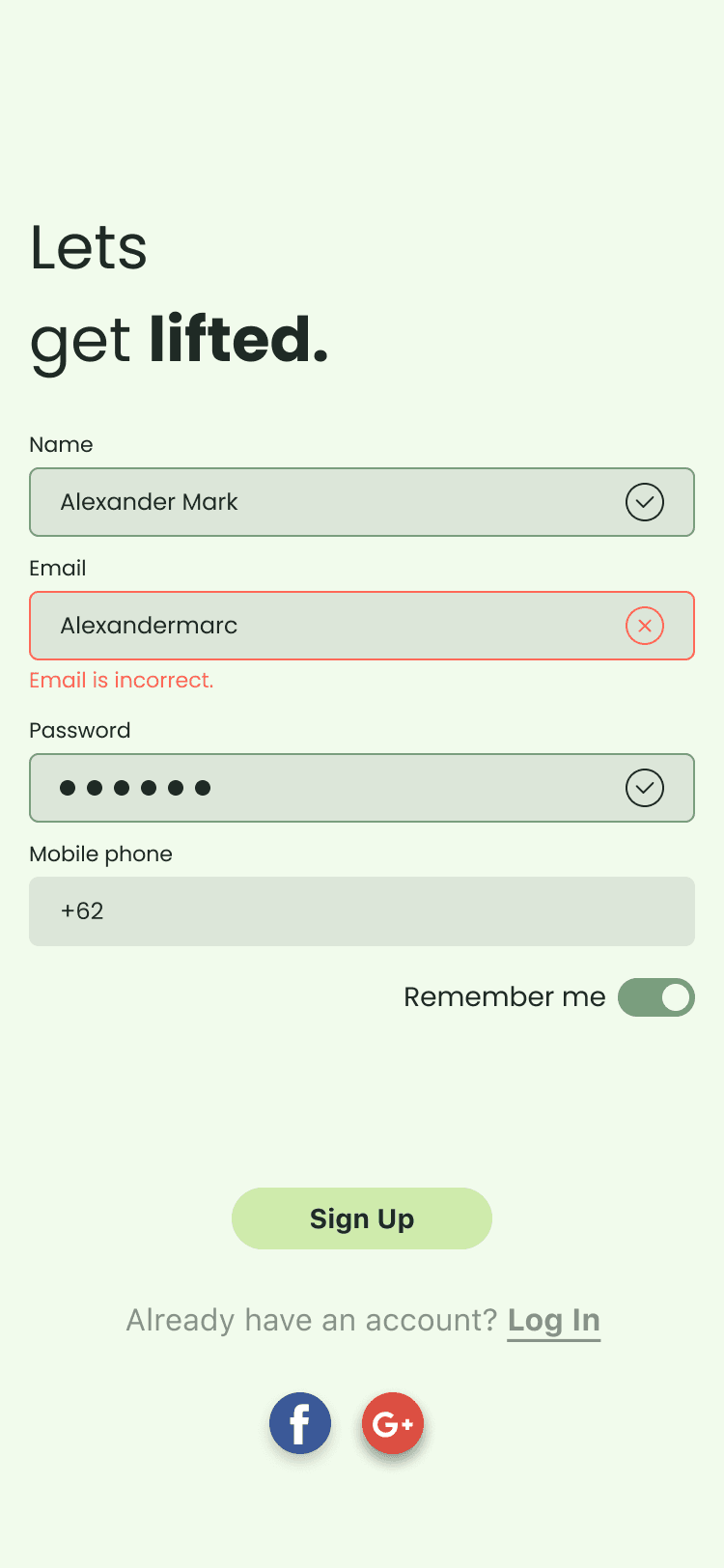
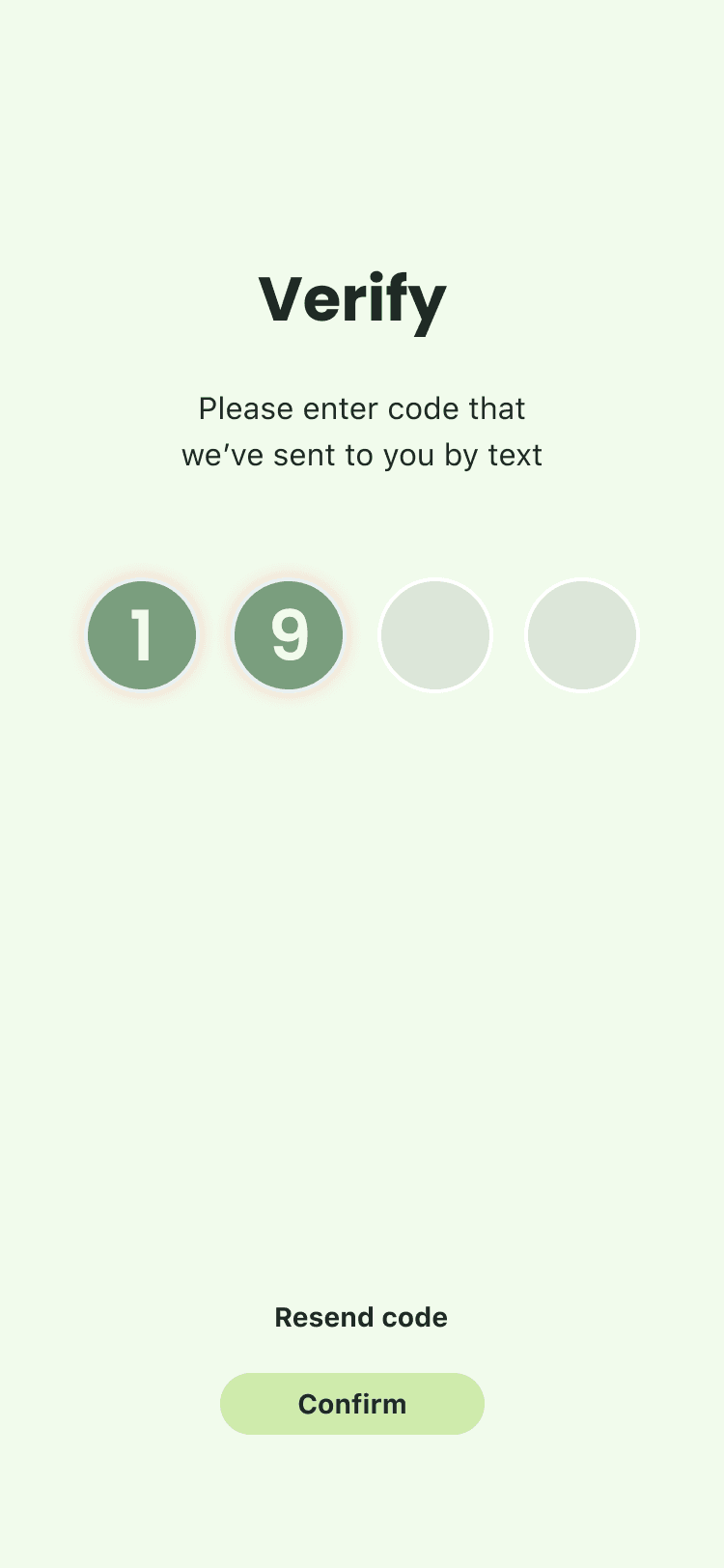
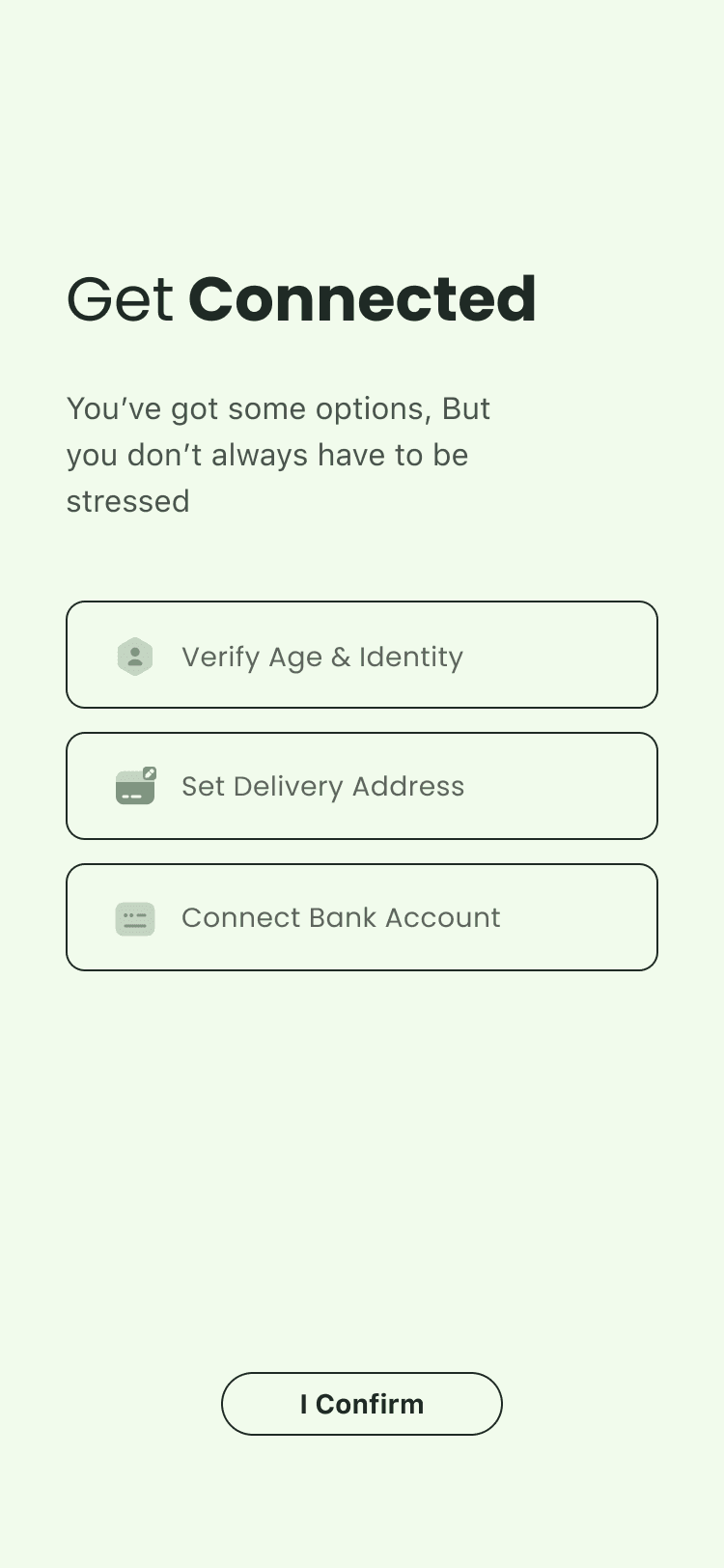

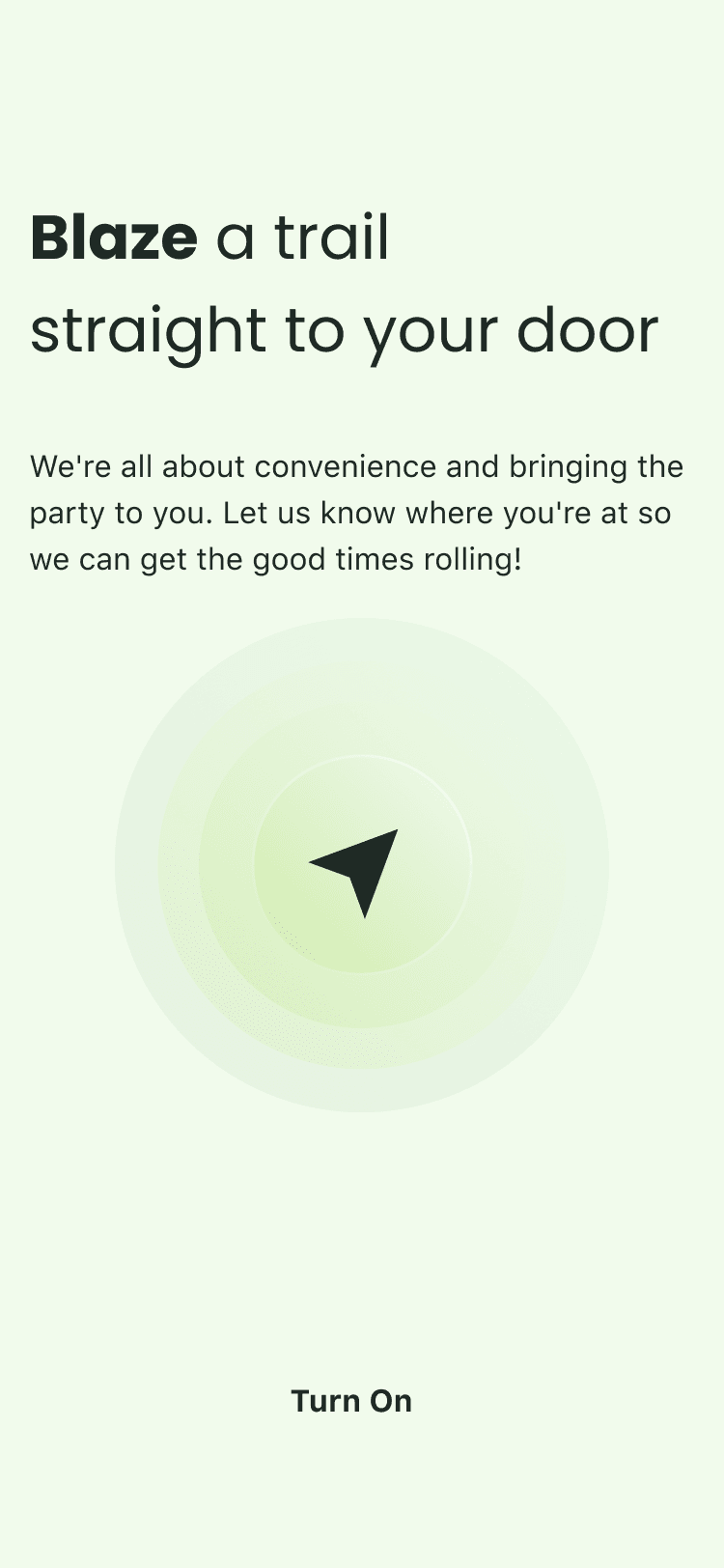
Each step explains the value exchange before asking for information.
4.2 Consumer App
Core Shopping Experience
Once verified, users land in a shopping experience that needed to balance two tensions:
Help users find products — browse by category, see what's popular, explore nearby dispensaries
Let repeat buyers get what they want fast — past purchases, favorites, personalized recommendations
Dispensary-aware browsing: Products are always shown in context of which dispensary carries them and their proximity. This isn't just UX — it's compliance. Orders must be intrastate and fulfilled by licensed dispensaries.
"Time for a re-up" module: Repeat purchase prompt based on order history. Cannabis has predictable consumption patterns — surfacing past purchases reduces friction for returning users.
Chemistry data on PDP: THC/CBD percentages, terpene profiles, and effect tags. The target user is becoming more sophisticated — they want information, not just product photos.
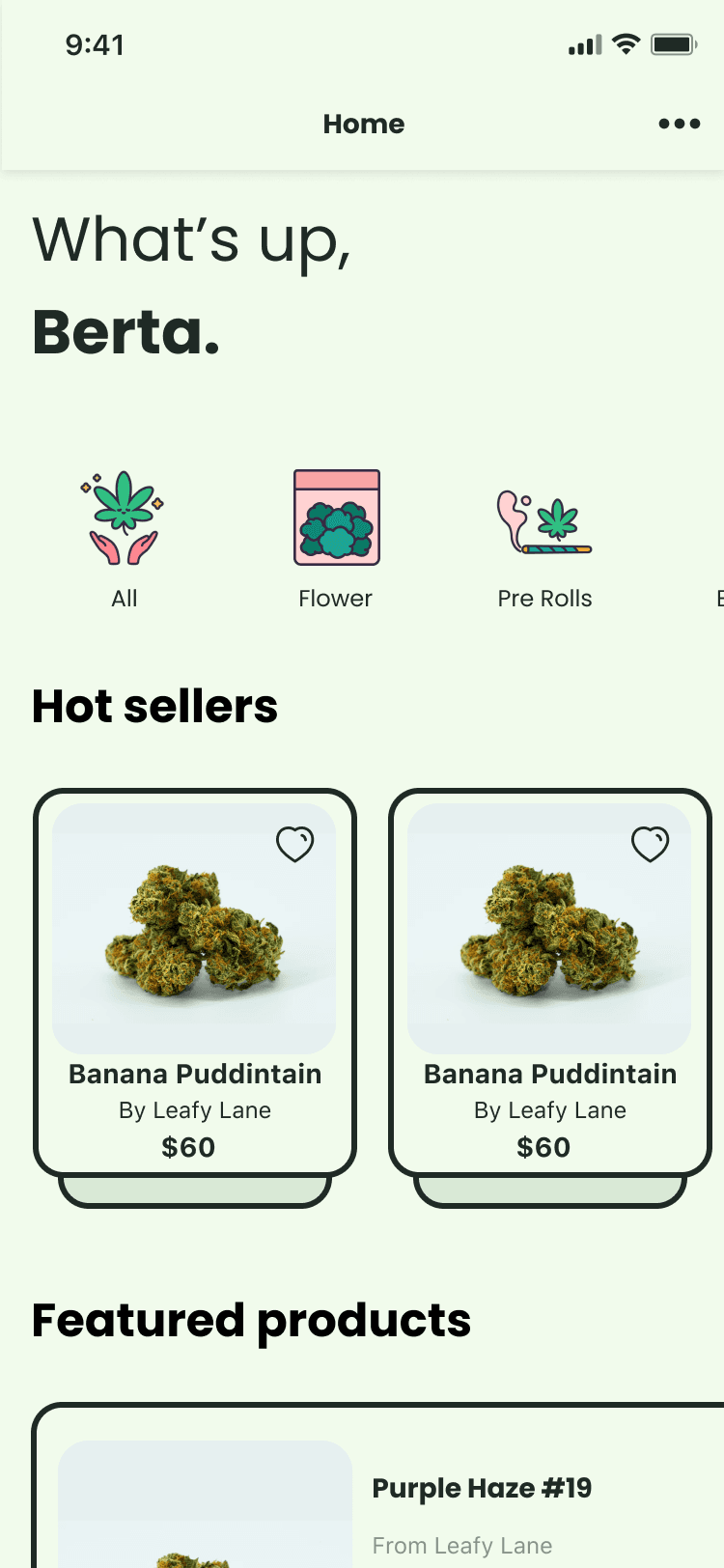
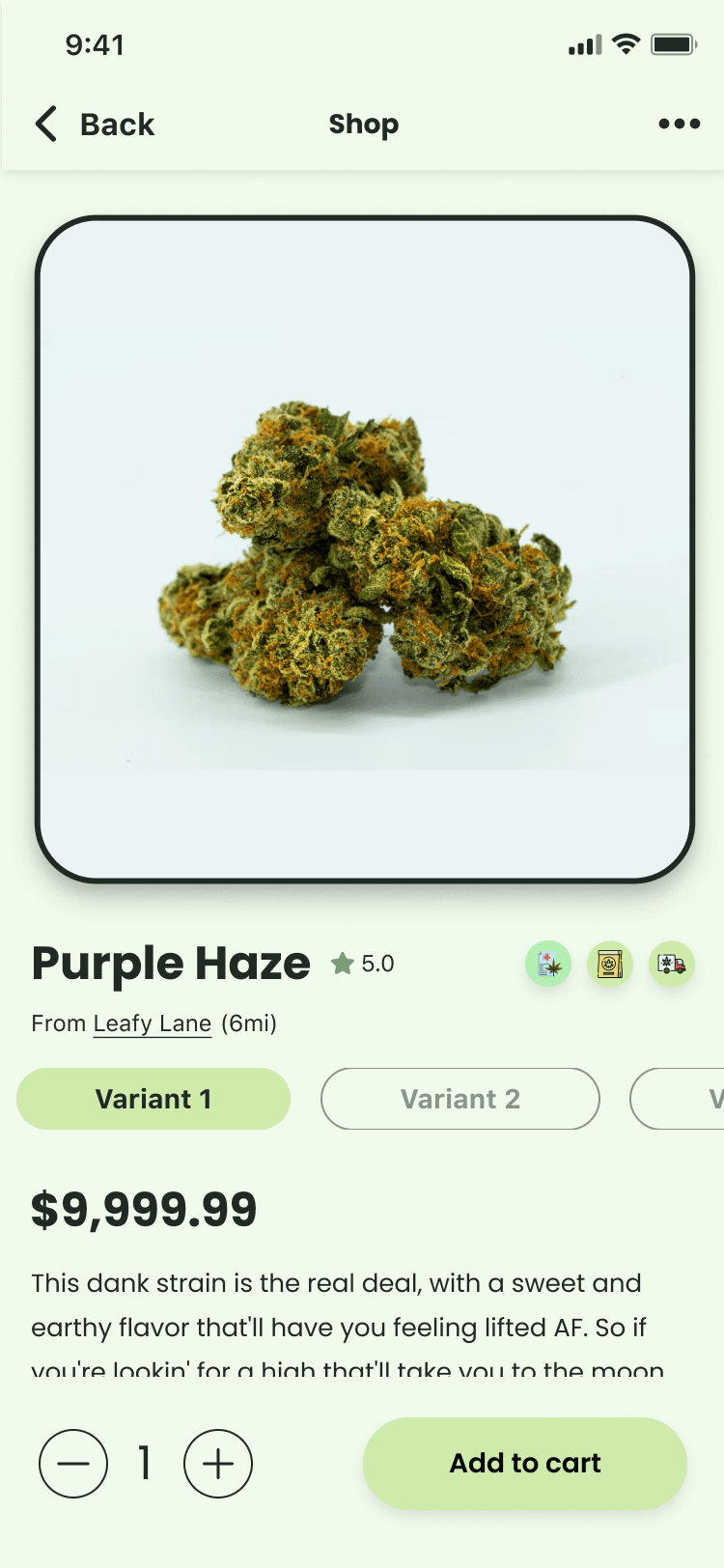
Left: Personalized home balances discovery and re-ordering. Right: Product detail includes chemistry data for informed purchasing.
4.3 Consumer App
Cart & Checkout
Checkout in cannabis delivery has hidden complexity:
Delivery vs. Pickup: Different compliance flows (pickup requires in-store ID verification; delivery requires courier handoff verification)
Multi-dispensary carts: Users might add products from different dispensaries — but each dispensary is a separate compliance event
Cost transparency: Taxes vary by state/municipality; fees vary by dispensary and delivery distance
Delivery/Pickup toggle at cart level: Not buried in checkout. Users choose fulfillment method upfront so the UI can adapt.
Itemized cost breakdown: Subtotal, tax, service fee, and total — all visible in cart before checkout. No surprises.
Empty states with personality: Even error states reinforce brand voice. The empty cart isn't a dead end — it's a redirect back to shopping.
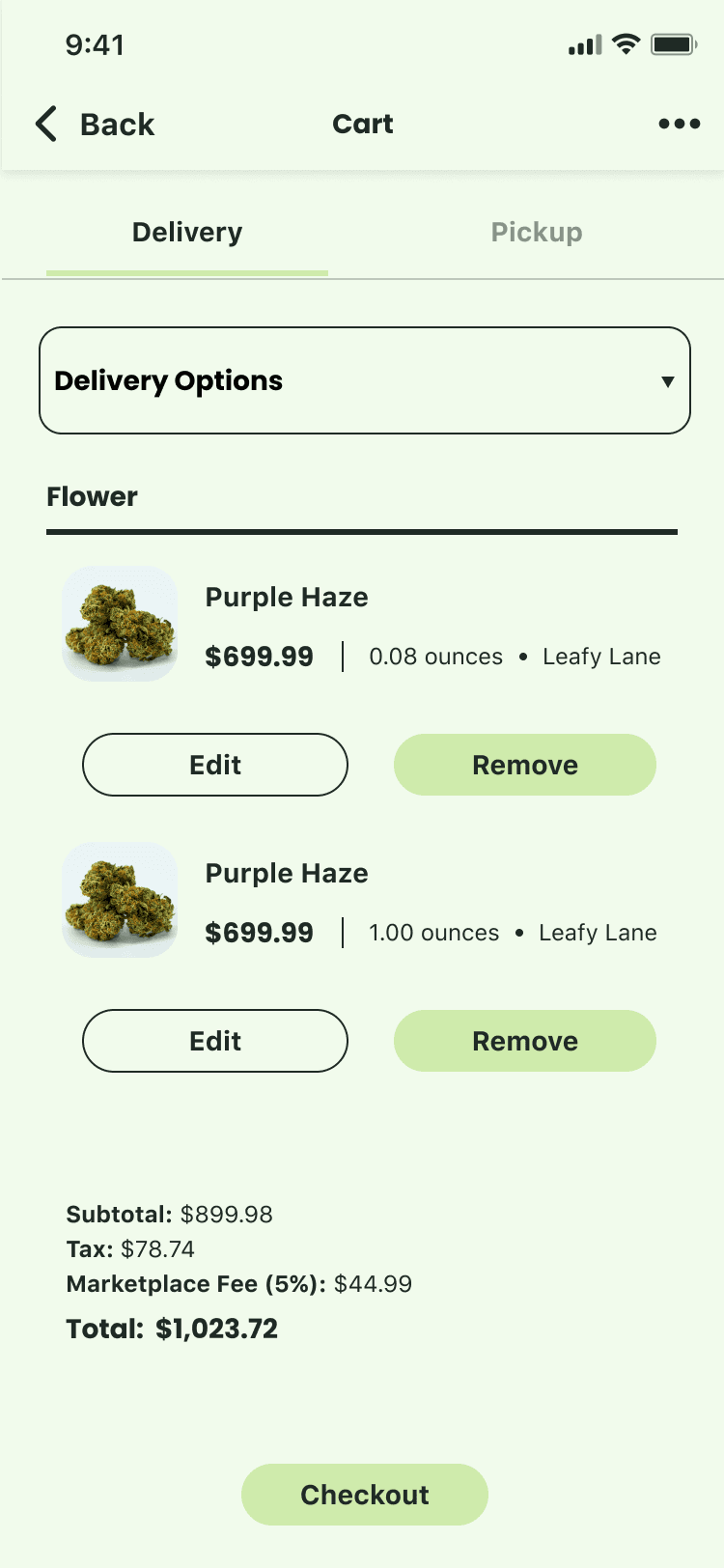
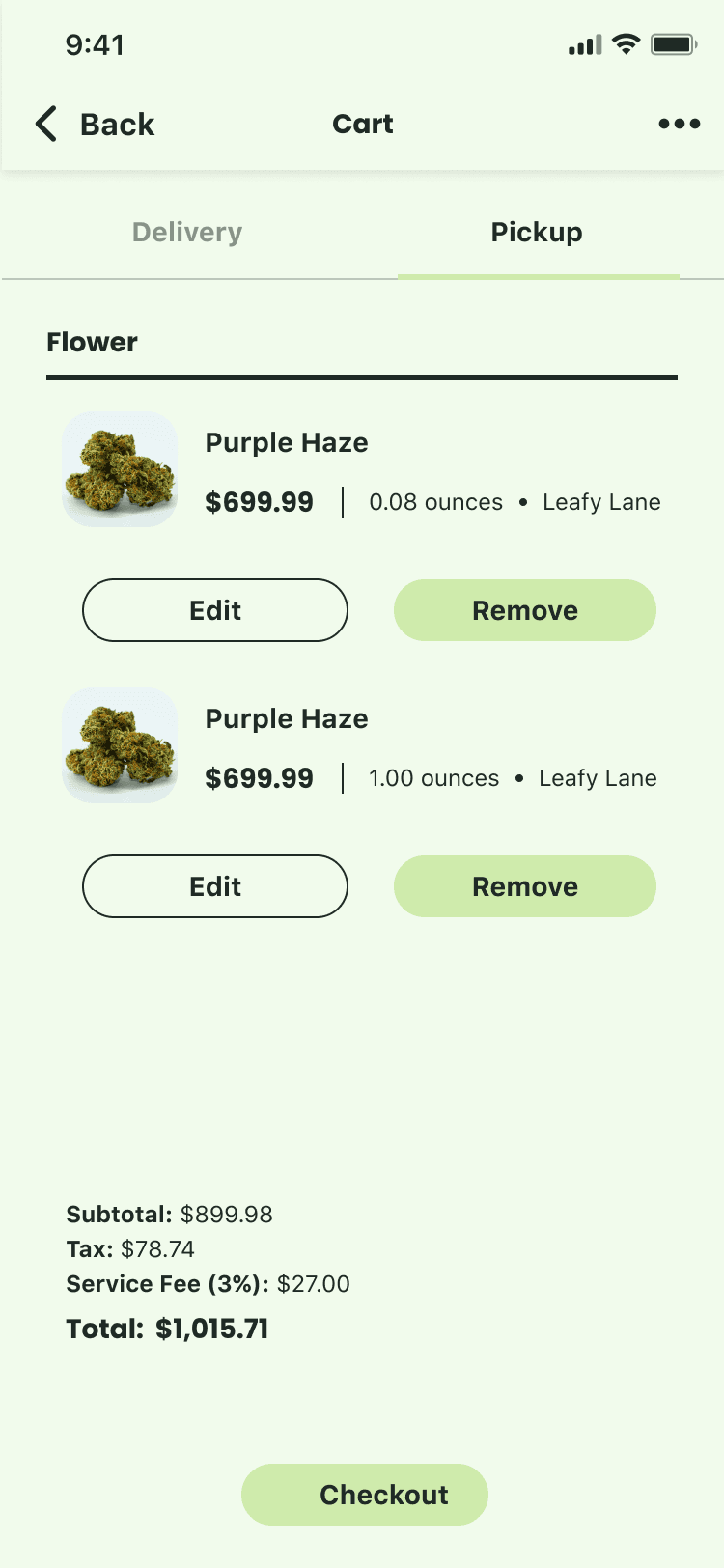
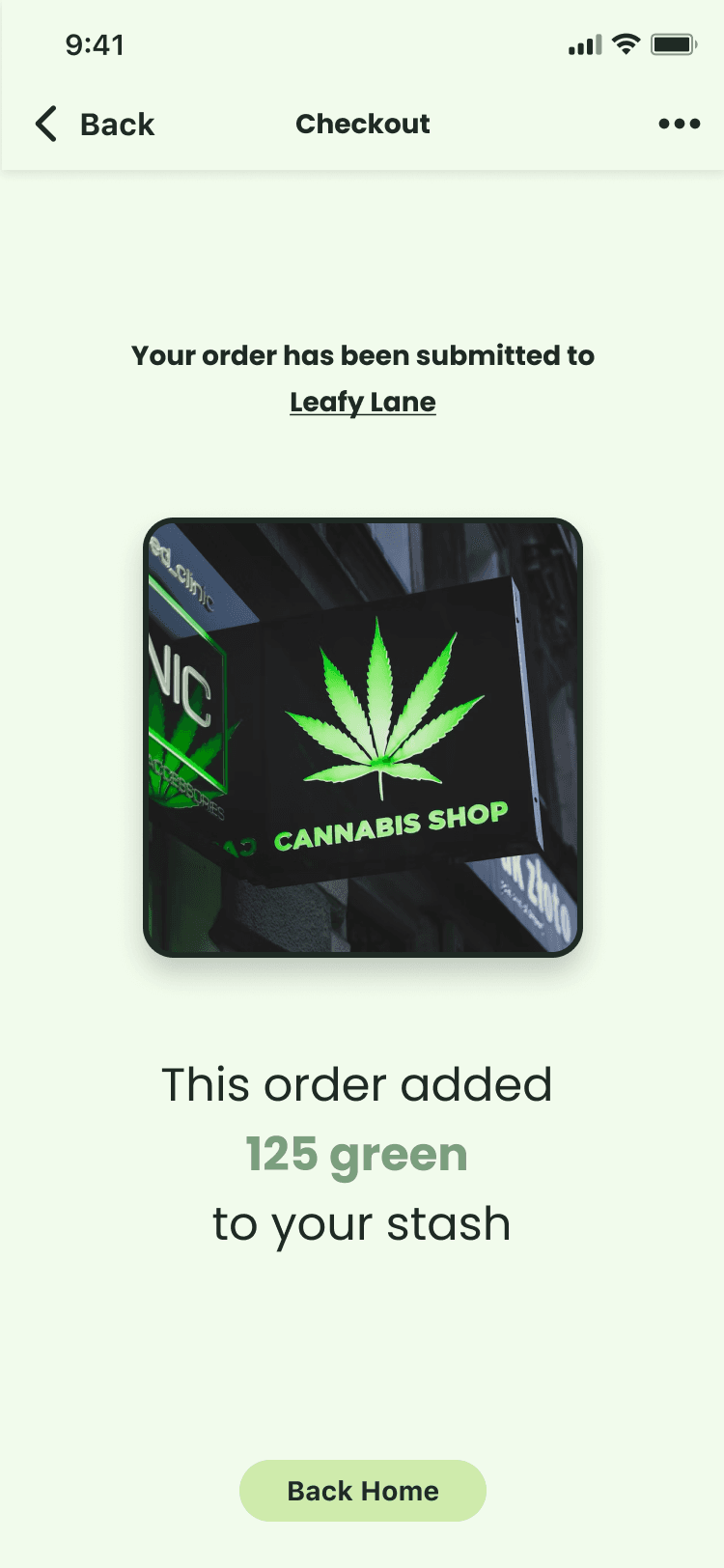
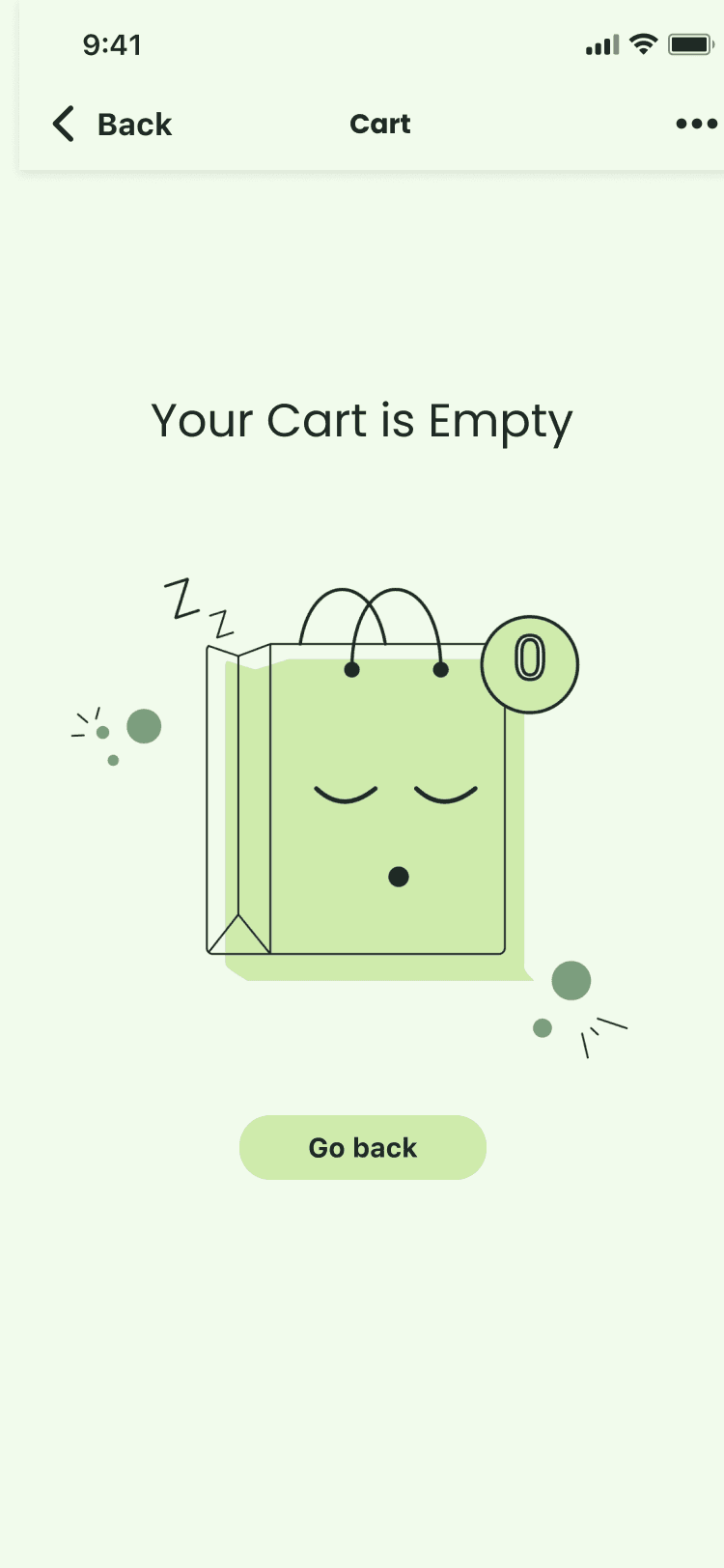
Even empty states maintain brand personality and guide users back to shopping.
4.4 Consumer App
Order Tracking & Communication
Post-purchase is where most cannabis apps fall apart. Users don't know where their order is, can't contact the courier, and have no visibility into what's happening.
This is also where compliance is most critical — the handoff moment requires identity confirmation.
Real-time status progression: Clear state machine visible to users (order received → dispensary preparing → courier dispatched → arriving → delivered). No ambiguity.
Courier identity visible: Users see who's delivering — name, photo, and direct communication channel. Builds trust and enables coordination.
In-app messaging: Rather than exposing phone numbers, communication happens in-app. This protects both parties and creates an auditable record.
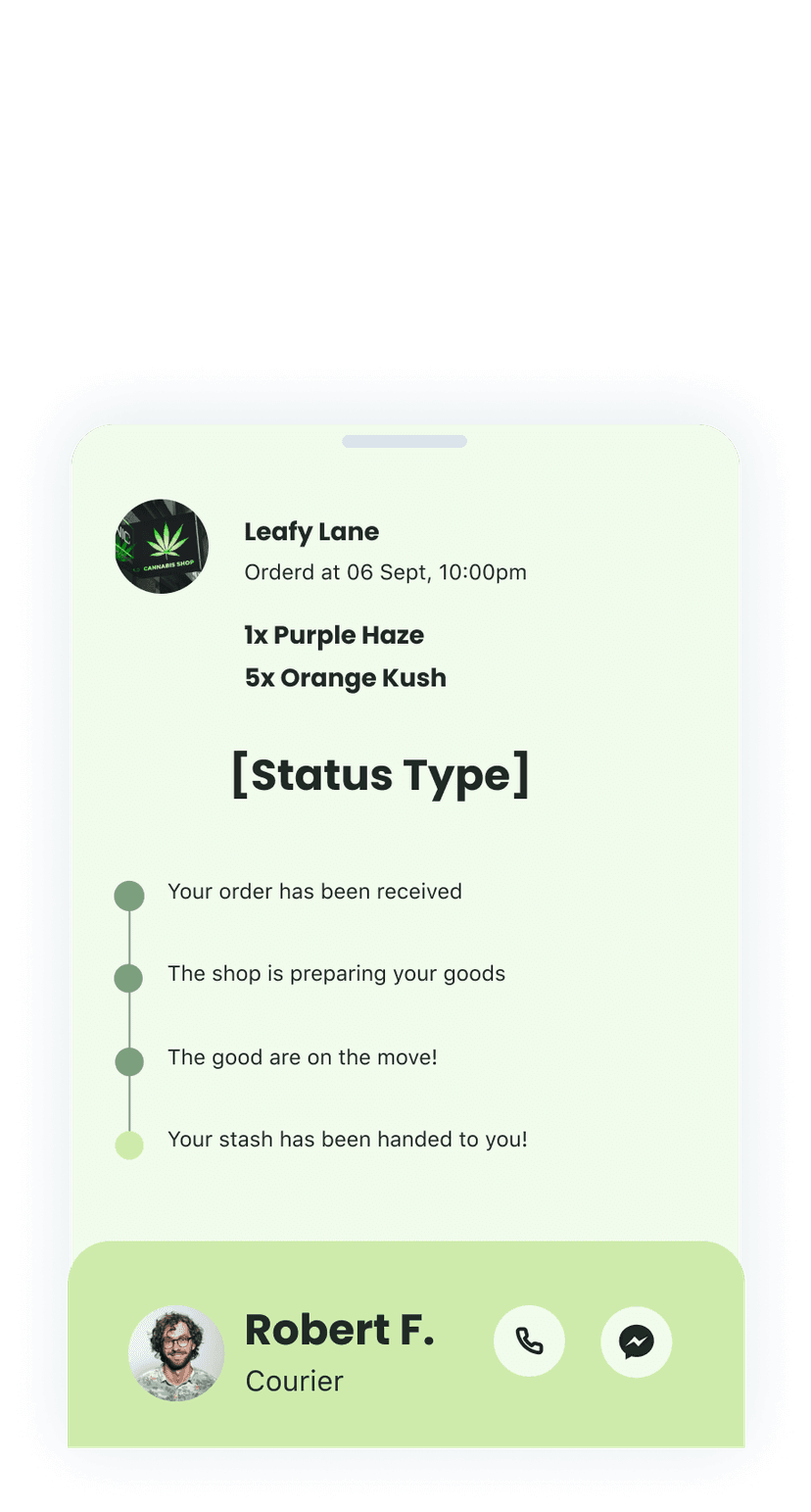

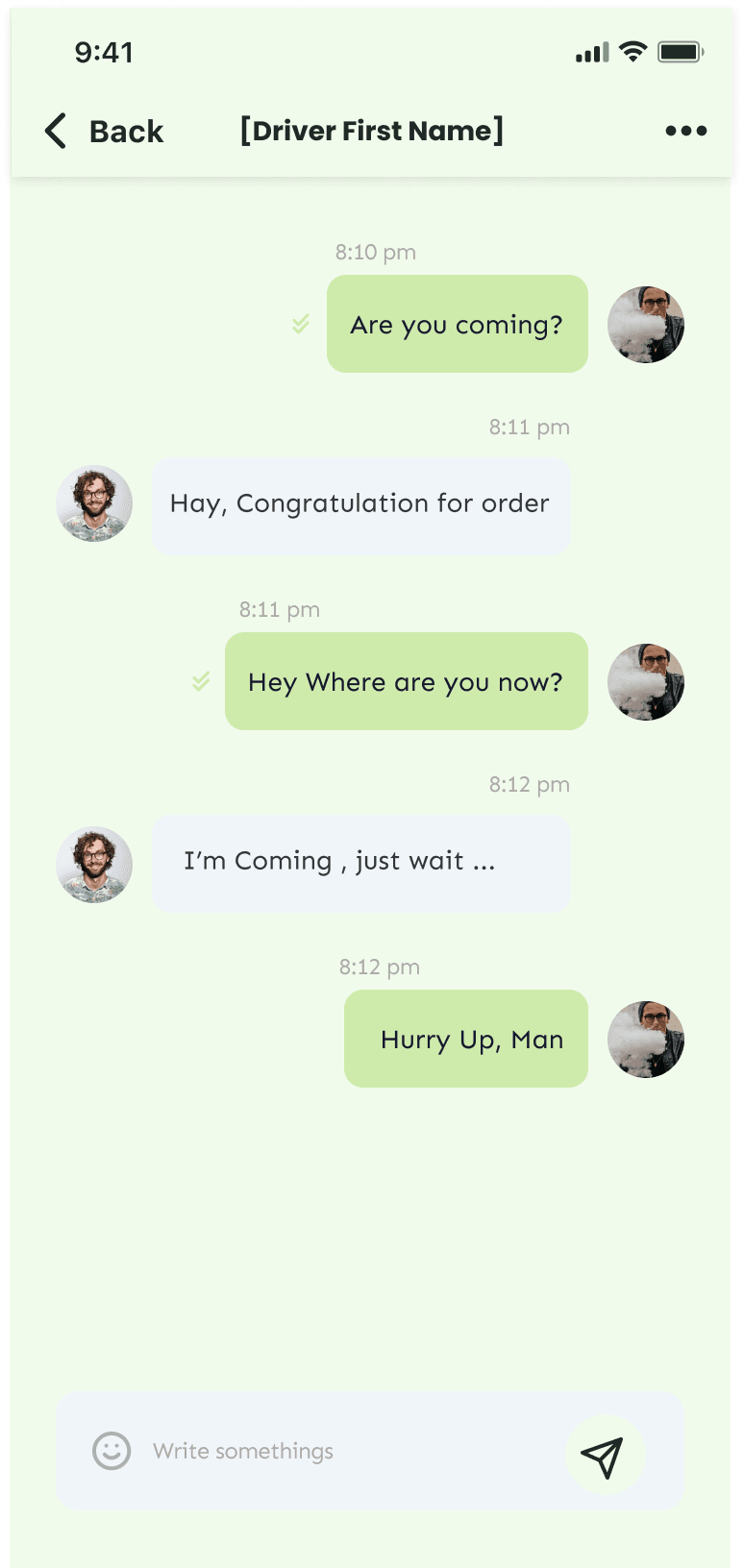
Users see real-time status and can communicate directly with their courier — building trust while maintaining an auditable record.
4.5 Dispensary Portal
Operations Dashboard
The consumer app is only half the system. Dispensaries need to receive orders, manage inventory, and maintain compliance on their end.
Dispensary operators are not tech-savvy by default. Many are small business owners who came from retail or cultivation, not software. The portal needed to be operationally obvious — no training required.
Dashboard-first architecture: Login lands on a summary view — today's revenue, order count, top products, recent activity. Immediate orientation.
Order status visibility: Clear visual distinction between pending, in-progress, and completed orders. Color-coded. Scannable.
Inventory views: Both list (for quick edits, stock checks) and grid (for visual scanning). Operators think differently; support both mental models.
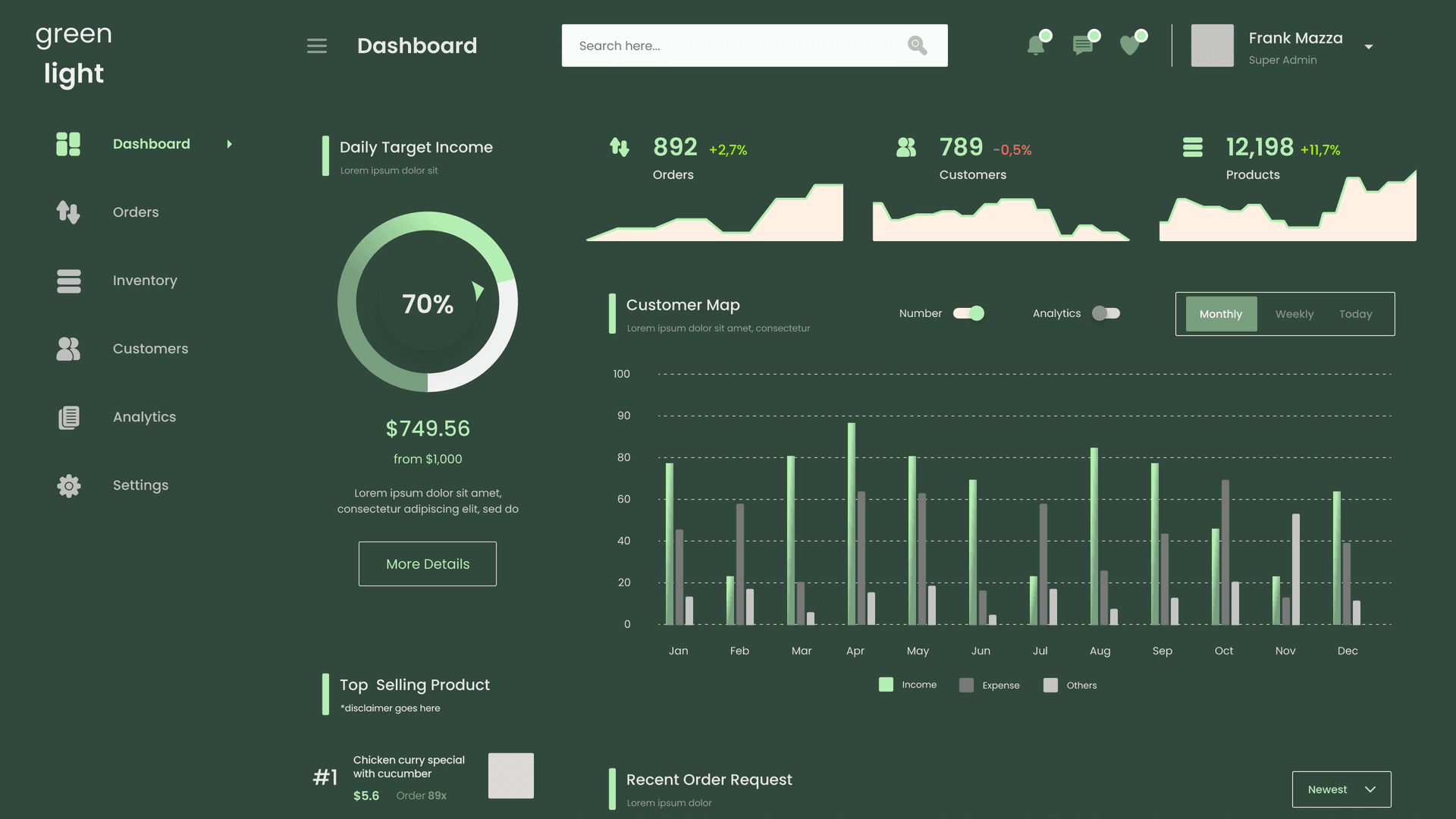
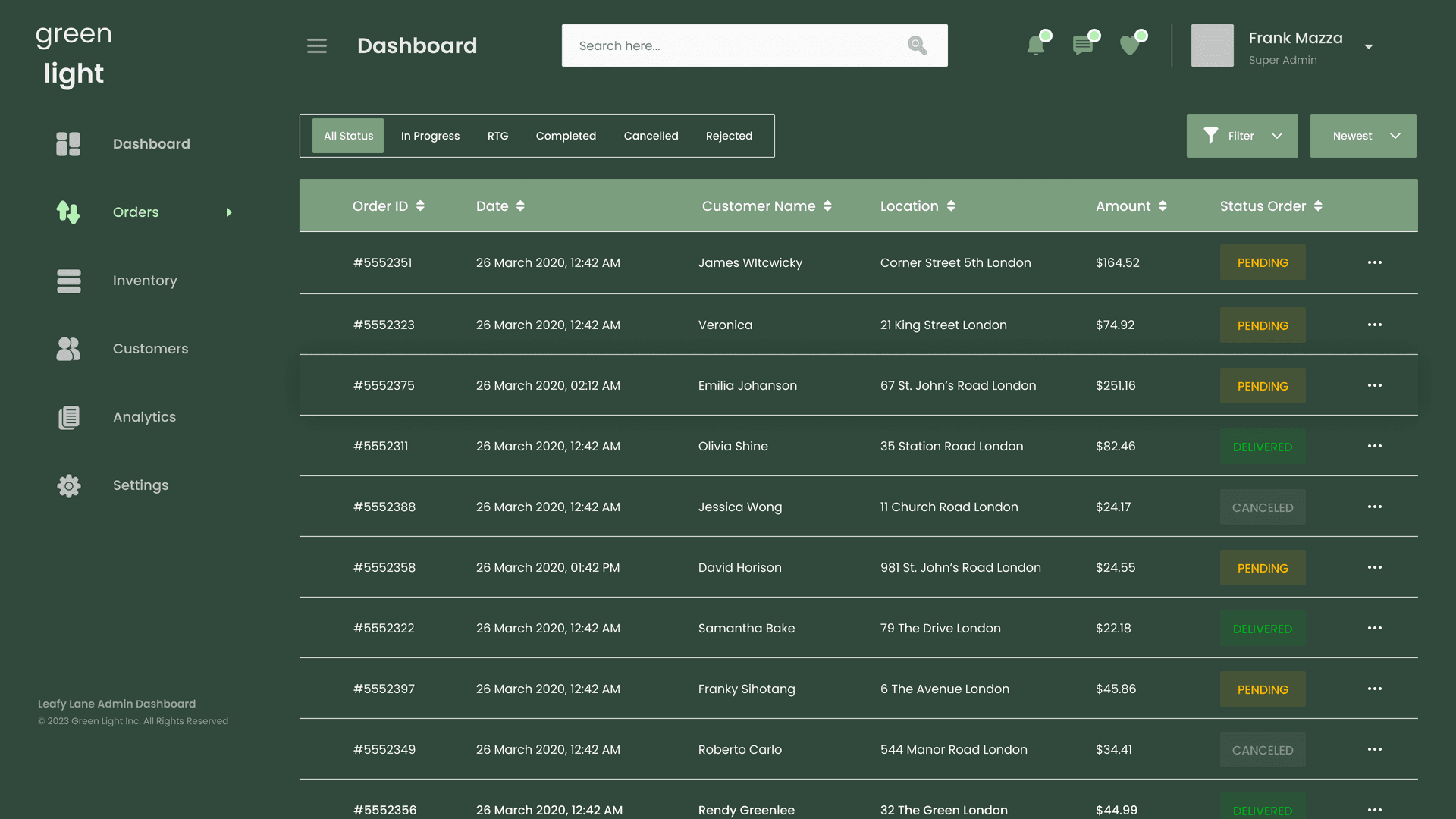
Dashboard provides immediate operational orientation. Orders view prioritizes status visibility and scannability.
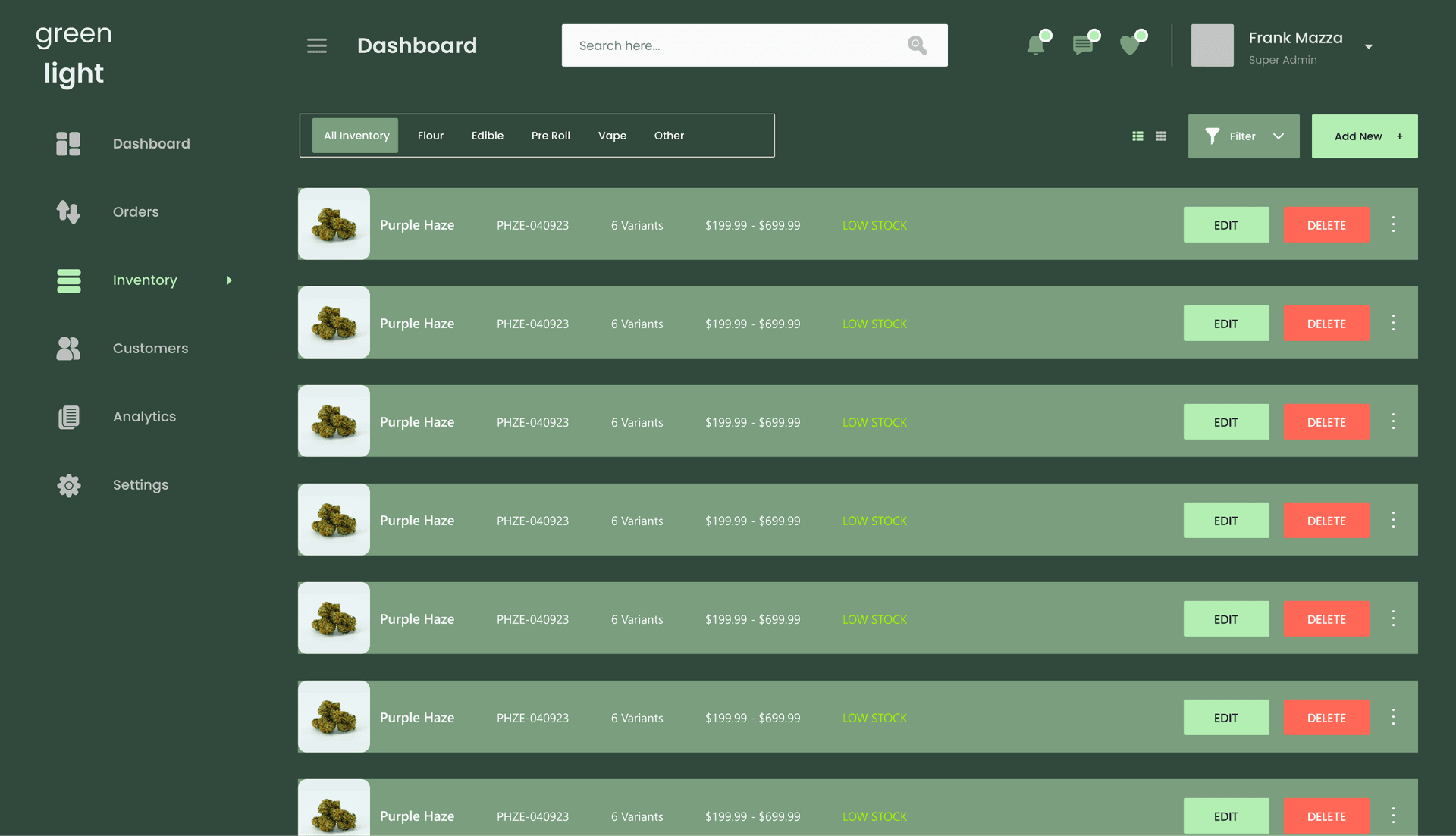
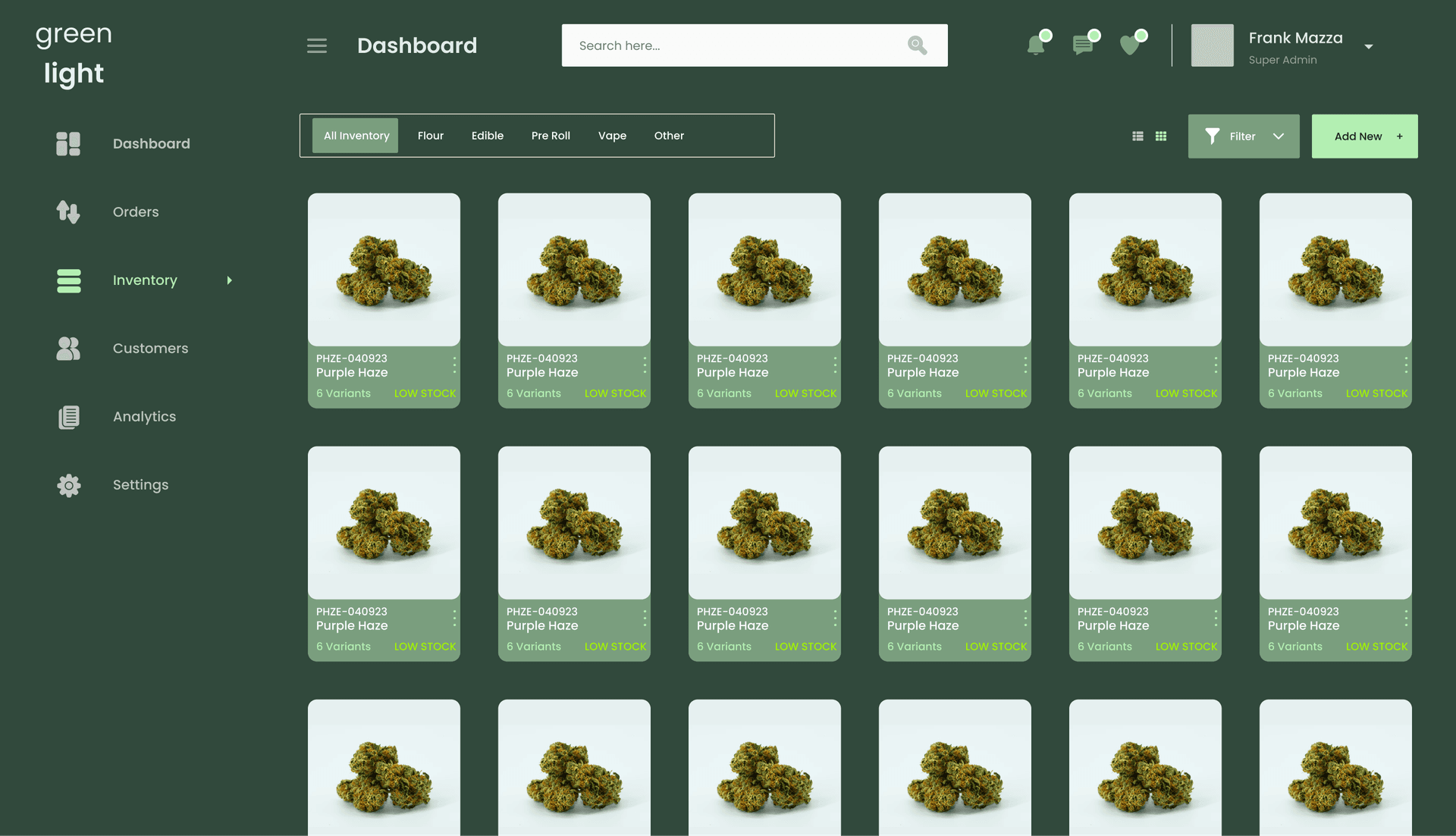
Two inventory views support different mental models — list for data-focused tasks, grid for visual scanning.
4.6 Dispensary Portal
Inventory Creation Flow
Adding new products to inventory is a multi-step process with required compliance data (category, THC content, testing info, etc.).
The challenge: Capture all required information without overwhelming operators with a massive form.
The approach: Wizard pattern with clear progress indication. Each step is focused. Progress bar shows where you are. Back navigation works. No data loss on exit.
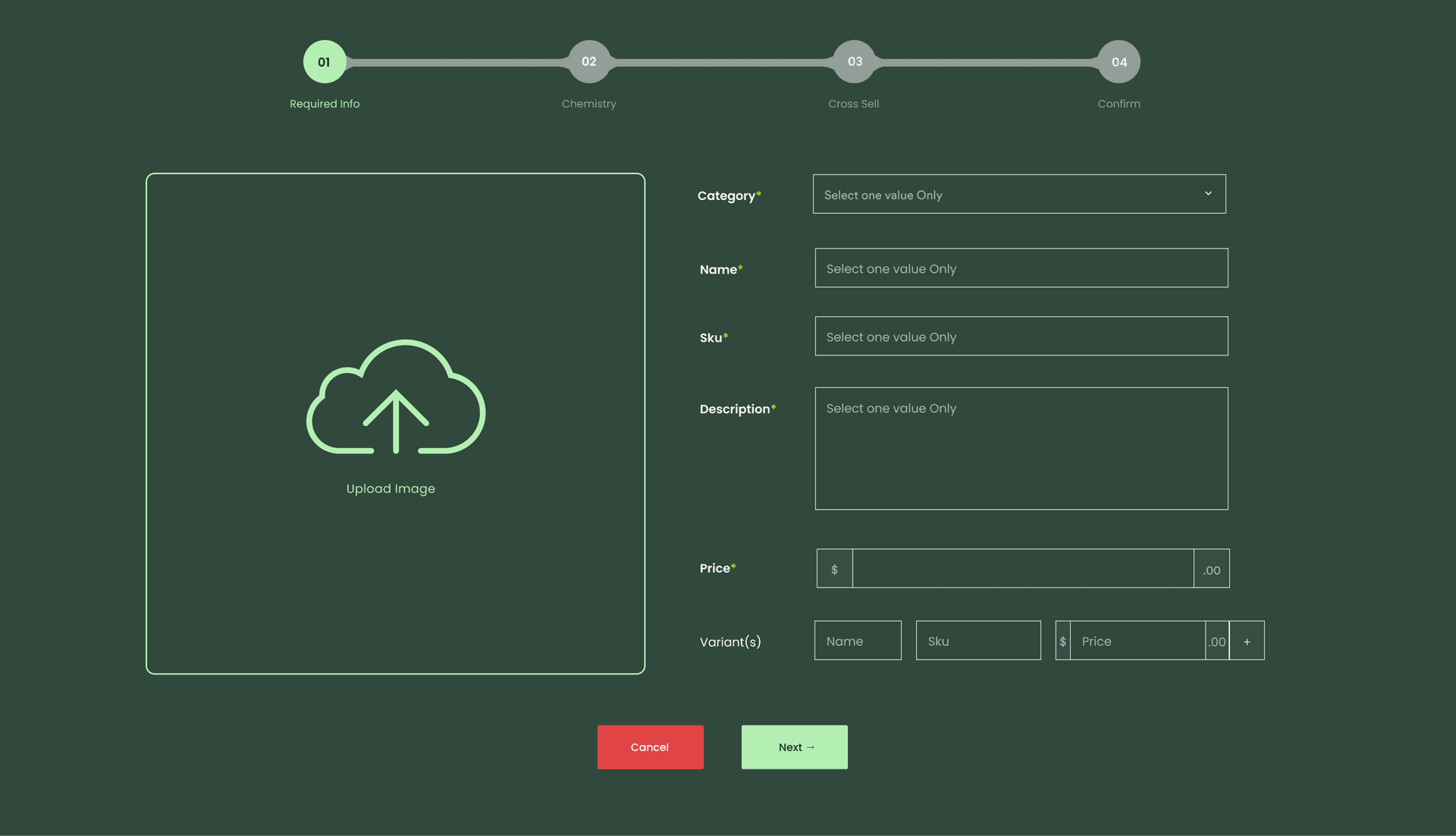
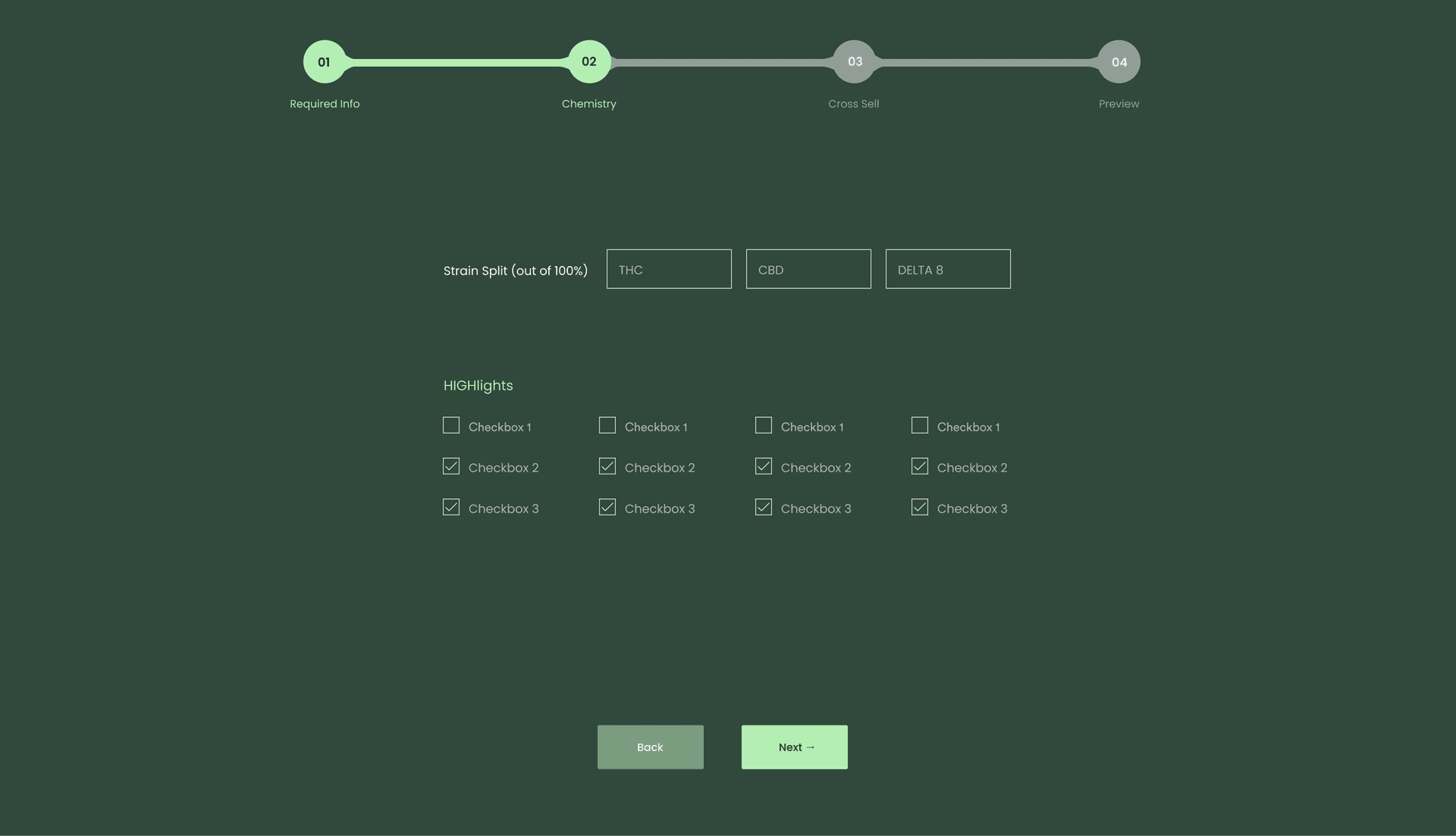
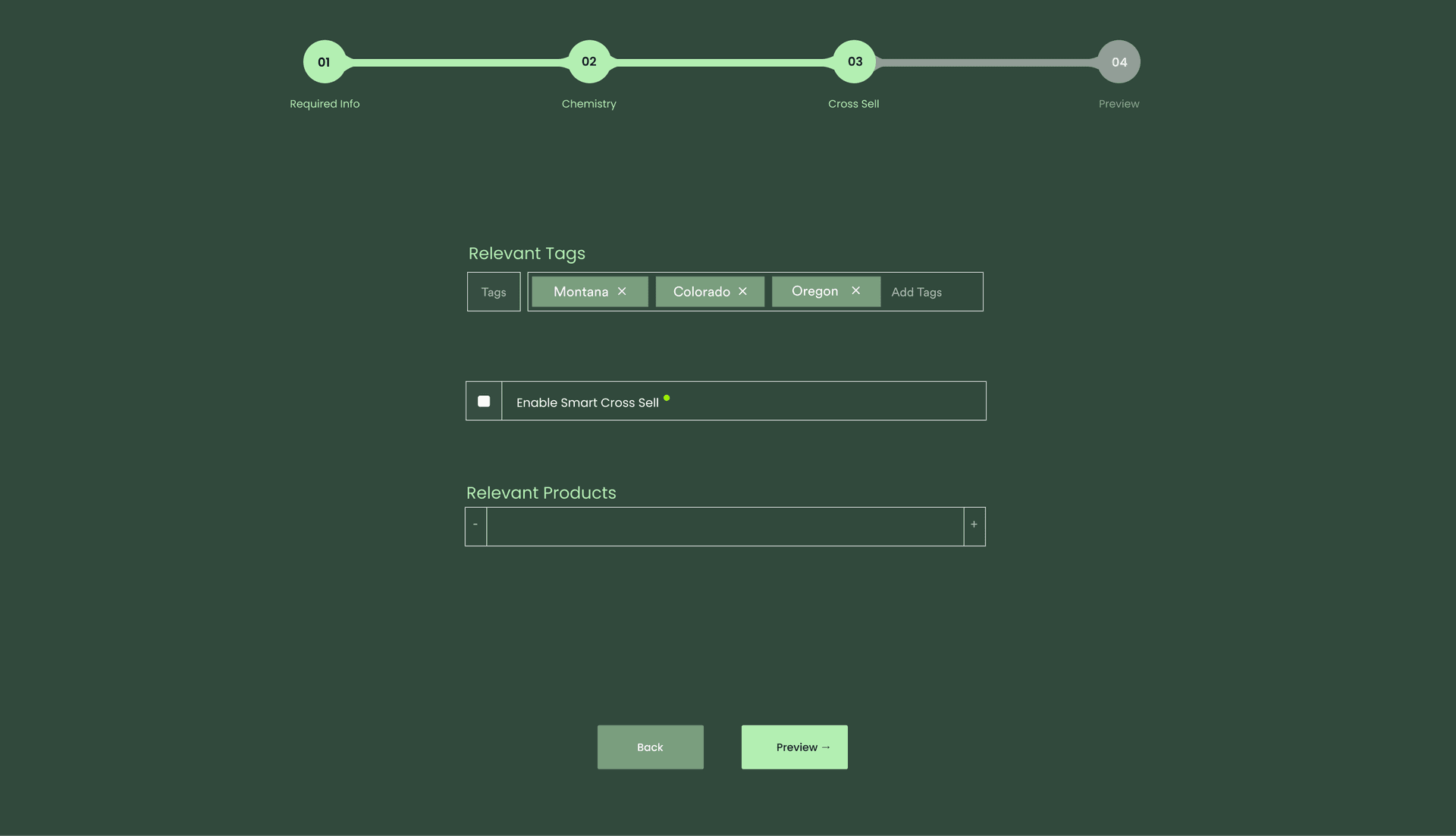
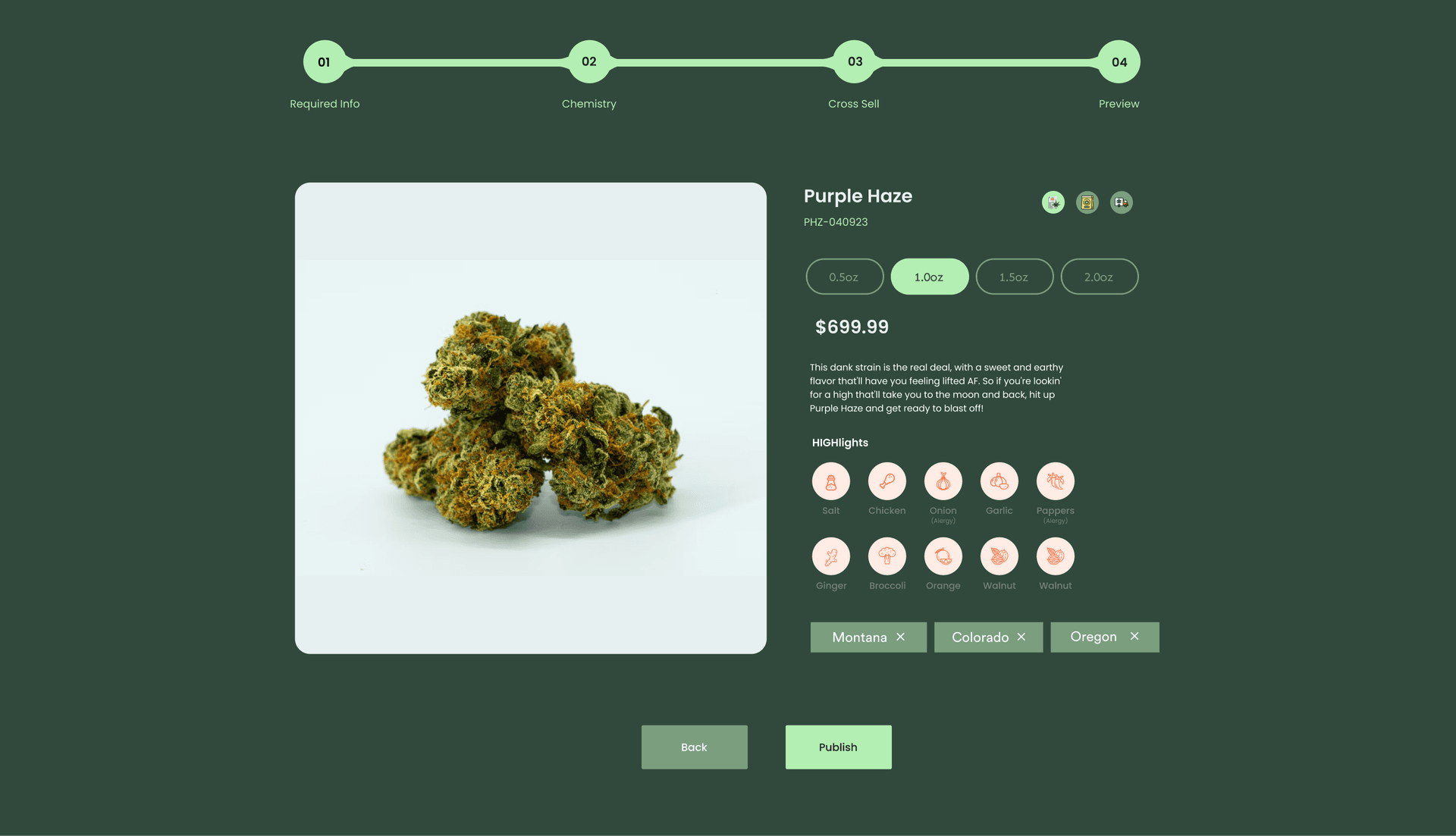
Wizard pattern breaks complex data entry into focused steps. Progress bar provides orientation; preview confirms before submission.
4.7
Design System
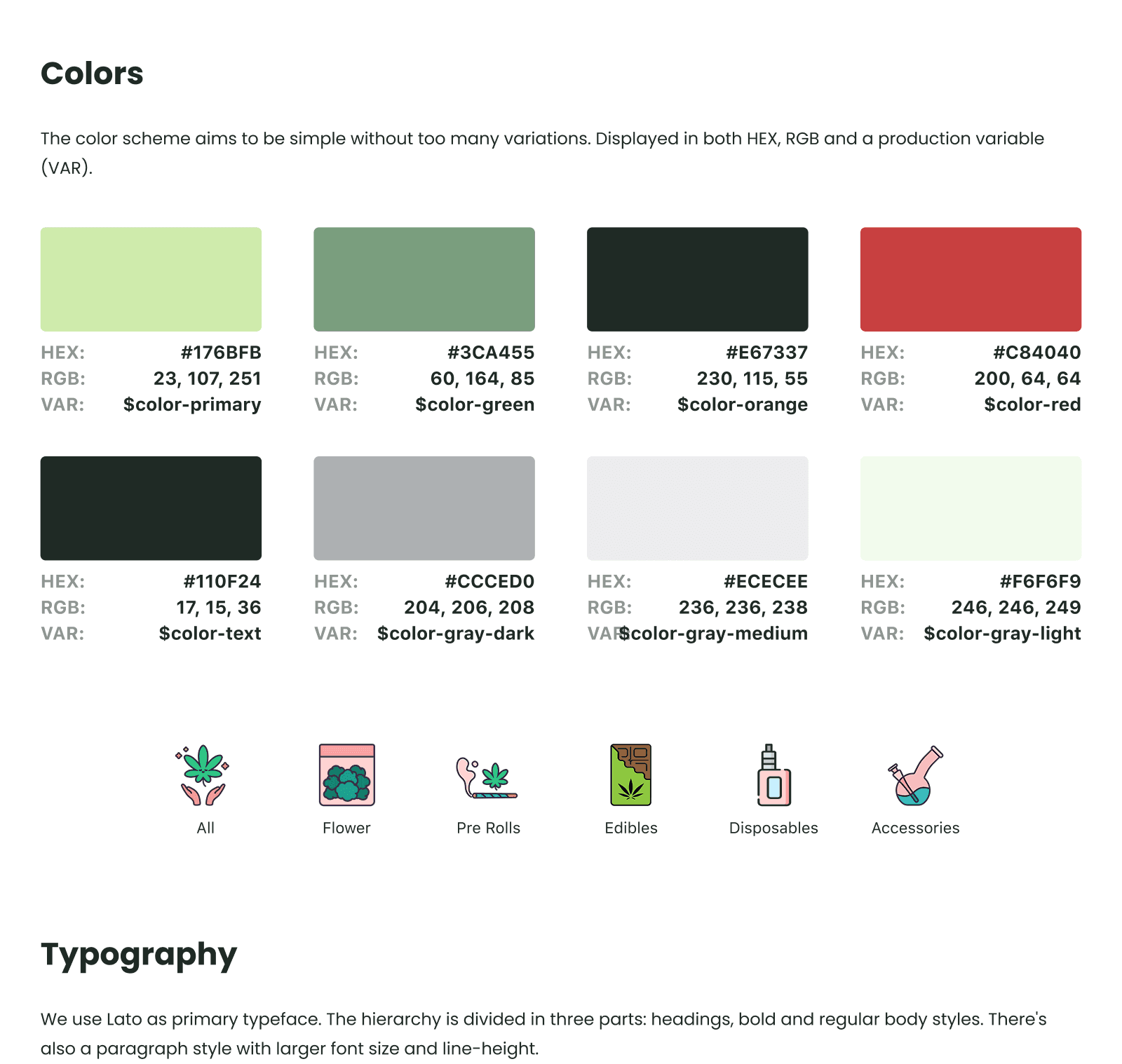
To ship this fast (14 weeks total), I needed a system — not just screens. Establish foundations early, then build everything from shared components.
Dark green primary (premium, cannabis-adjacent without being cliché), light sage accents, neutral grays for UI scaffolding
Clean sans-serif, clear hierarchy (Heading 1 at 32px down to body at 16px)
Buttons, inputs, cards, alerts — all documented and reusable
Google Material icons for consistency and dev handoff efficiency
05
Tradeoffs & Alternatives
Dark Mode vs. Light Mode
Building the consumer app in light mode to feel more mainstream/approachable.
Dark mode with green accents. The cannabis space is already saturated with either (a) sketchy dark UIs or (b) overly clinical white UIs trying too hard to look "medical." The dark green palette threads the needle — premium, calm, and distinctive without feeling like a dispensary menu from 2015.
Potentially less approachable for some mainstream users. Mitigated by clean typography, generous whitespace, and high-quality product photography.
Native App vs. PWA
Building everything as a Progressive Web App for faster development and cross-platform deployment.
Native app for consumers (where experience quality matters most), PWA for dispensary portal (where operators are at desktops anyway and updates can ship faster).
Higher development cost for native. Justified by the consumer experience requirements — push notifications, camera access for ID scanning, and offline resilience.
ID Verification: In-House vs. Third-Party
Building custom ID verification flow.
Integrate with established provider (Aeropay for banking/identity). They've already solved the hard compliance problems and carry the liability.
Less control over the UX (visible in the onboarding flow where the Aeropay modal has different styling). Justified by risk mitigation and speed to market.
06
Outcome & Reflection
What Shipped
Complete technical architecture: System contracts, database schema, state machines, acceptance criteria — all documented as structured markdown to serve as the "brain" for backend development
Consumer app: 40+ screens covering onboarding, shopping, checkout, tracking, and account management
Dispensary portal: Dashboard, order management, inventory, customer views
Design system: Shared foundations enabling consistent, fast UI development
Timeline
Handed off to backend development team. Architecture and designs currently being implemented.
What I'd Do Differently
More user validation on the dispensary side
The consumer flows were grounded in established e-commerce patterns. The dispensary portal was based on research and best practices, but I didn't have direct access to dispensary operators during design. In a longer engagement, I'd want usability testing with actual operators before finalizing the inventory and order management flows.
Earlier alignment on the courier experience
I designed consumer and dispensary flows in detail, but the courier app was scoped out of this phase. In retrospect, I'd push to at least map the courier flows at a wireframe level — their experience is critical to the handoff compliance moment.
This project was never about "designing a weed app."
It was about understanding a regulated industry deeply enough to architect a system that could actually exist — then designing an experience layer that made compliance invisible to users.
The founder came in thinking he needed screens. What he actually needed was someone to figure out the problem before solving it.
That's the job.
Kantha Bae→
DTC Ecommerce Brand